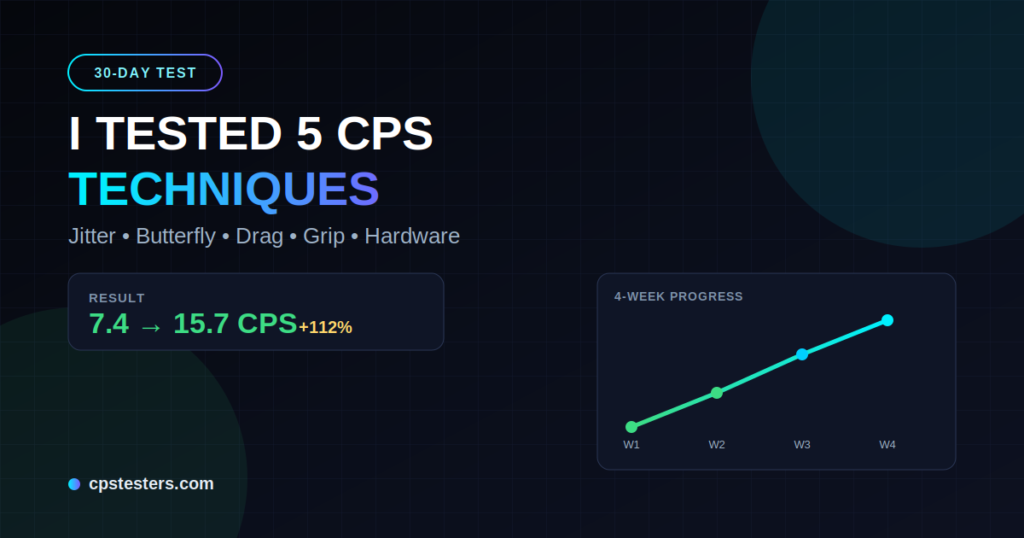
Like many gamers, I was stuck in the mediocre zone. My average CPS (Clicks Per Second) hovered around 7-8 on a standard 10-second test. In Minecraft PvP, that meant getting out-clicked in critical fights. I decided it was time for a real experiment. For 30 days, I dedicated time daily to test and train with five popular CPS techniques using the free tools at cpstesters.com/.
This isn’t theory or copied advice — it’s my real-world results, complete with daily logs, struggles, and the techniques that actually moved the needle. If you’re looking to improve your click speed test performance for gaming, competitive clicking, or just personal challenge, this deep dive will save you time and frustration.
Why CPS Matters (And Why Most Advice Falls Short)
Clicks Per Second measures how quickly you can register mouse clicks. In games like Minecraft, higher CPS translates to better knockback control, faster attacks, and an edge in close-quarters combat. But not all techniques are equal. Many YouTube tutorials promise miracles with zero sustainable results.
I started with a baseline using the main CPS Test on cpstesters.com/:
- Initial Average (10s test): 7.4 CPS
- Peak Burst (1s): 9.2 CPS
- Endurance (60s): 6.1 CPS average
My goals: Reach consistent 12+ CPS on 10-second tests and improve technique without destroying my wrist.
Technique 1: Mastering Grip and Posture (Days 1-6)
The foundation of everything. I experimented with palm grip, claw grip, and fingertip grip.
What I Did: Switched primarily to a relaxed claw grip. Focused on neutral wrist position, proper desk height, and relaxed shoulders. Practiced light, controlled clicks without tension. Used the site’s Mouse Grip guides indirectly through practice and combined with short daily drills.
Results: By day 6, my baseline normal clicking rose to 8.9 CPS. The biggest win was reduced fatigue. Tension was killing my speed before — relaxing my hand alone added nearly 1.5 CPS.
Pro Tip: Test different grips on the Mouse Test tool to ensure even button response.
Internal Link: Try the Full CPS Test Suite Here
Technique 2: Jitter Clicking (Days 7-12)
Jitter clicking involves vibrating your forearm and wrist to create rapid micro-movements that register as multiple clicks. It’s a staple in Minecraft PvP.
Training Method: 5-10 minute sessions, 3x daily. Started slow to build control, then increased speed. Focused on keeping mouse movement minimal for better aim retention. Used the dedicated Jitter Click Test for targeted practice.
Challenges: Forearm fatigue and shaky aim initially. By week 2, it felt more natural.
Results: Jumped to 11.8 CPS average on 10s tests. Peak 1s bursts hit 14+. This was my biggest single-technique gain. However, accuracy in actual gameplay took extra practice to maintain.
External Resource: Learn more about advanced jitter from community discussions on Reddit’s FPSAimTrainer.
Technique 3: Butterfly Clicking (Days 13-18)
Butterfly clicking alternates between your index and middle finger on the left mouse button, effectively doubling your potential output.
My Approach: Dedicated sessions on the Butterfly Click Test. Alternated fingers rhythmically. Combined with proper grip from earlier weeks.
This felt more sustainable than jitter for longer fights. It requires a mouse that registers rapid successive clicks well.
Results: Consistent 13.5-15.2 CPS on 10-second tests. My endurance (60s) improved dramatically to 12+ average. This became my go-to for competitive play — high output with better control than pure jitter.
Internal Link: Master Butterfly Clicking with Our Specialized Tool
Technique 4: Drag Clicking (Days 19-24)
Drag clicking creates friction by dragging your finger across the mouse button, generating multiple clicks from one motion. It can produce very high numbers but requires the right mouse surface and technique.
Training: Practiced on a textured mouse. Focused on consistent downward drag pressure. Used the Drag Click Test extensively. Caution: This can wear out mouse switches faster.
Results: Explosive peaks — 18-22 CPS in short bursts! However, it was harder to sustain and control in actual gaming. My 10s average settled around 14.5 CPS. Great for specific scenarios but not my daily driver due to consistency issues.
Technique 5: Hardware Optimization + Routine Integration (Days 25-30)
I upgraded to a lightweight gaming mouse with low debounce time and high polling rate. Adjusted DPI/sensitivity, ensured clean mousepad, and combined all techniques into a daily routine: warm-up normal clicks, technique-specific drills, and gameplay application.
Additional Factors:
- Mouse with good click latency
- Consistent 10-15 minute daily practice
- Proper rest and hand stretches
- Tracking progress on cpstesters.com/ tools
Results: Final Averages (Day 30):
- 10s Test: 15.7 CPS (112% improvement from baseline!)
- 1s Peak: 19+ CPS
- 60s Endurance: 13.4 CPS
The combination effect was massive. No single technique dominated — synergy won.
My 30-Day CPS Progress Breakdown
| Week | Avg 10s CPS | Key Focus | Notes |
|---|---|---|---|
| 1 | 8.9 | Grip & Posture | Foundation built |
| 2 | 11.8 | Jitter | Biggest initial jump |
| 3 | 14.1 | Butterfly | Sustainability improved |
| 4 | 15.7 | Drag + Integration | Peak performance |
Key Lessons Learned
- Consistency beats intensity. Short daily sessions outperformed occasional long grinds.
- Technique + Hardware = Results. A good mouse amplified everything.
- Avoid burnout. I took rest days when my hand felt strained.
- Test regularly. Using multiple tools on cpstesters.com/ (Kohi, Manual, etc.) gave a full picture.
External Links for Further Reading:
- Advanced Clicking Techniques Guide
- Community discussions on improving CPS for FPS games.
Your Turn to Improve
My 30-day CPS challenge proved that anyone can dramatically improve with the right approach. From 7.4 to 15.7 CPS — that’s game-changing for PvP performance.
Start today on cpstesters.com/. Pick one technique, track your progress, and build from there. Whether you’re into Minecraft, aim trainers, or just want faster reflexes, these tools and methods deliver.
What’s your current CPS? Drop it in the comments and share which technique you’ll try first. And don’t forget to check out our other tools like the Aim Trainer, Mouse Accuracy Test, and more.
Ready to test yourself? Launch the CPS Test Now